
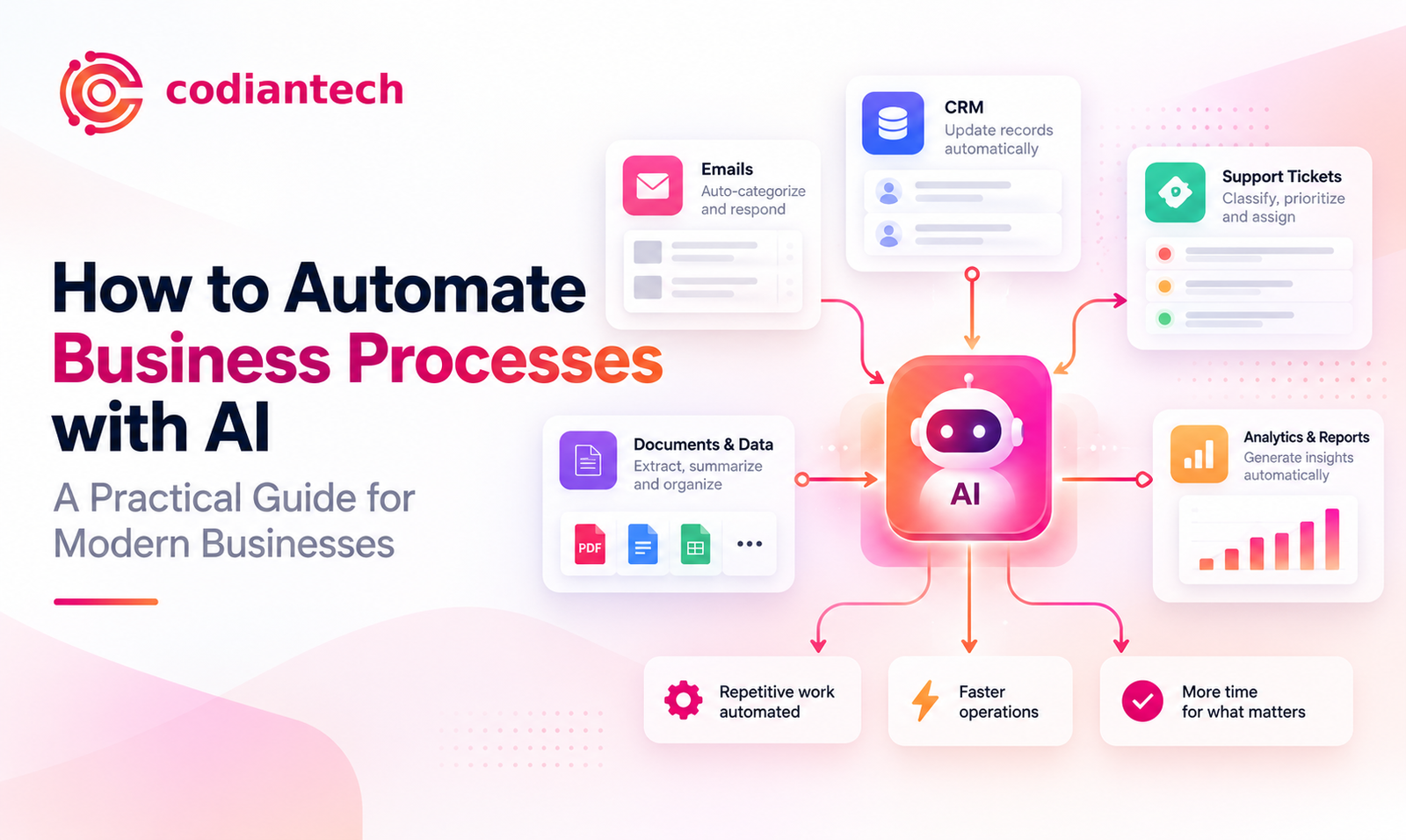
Typed "how do I automate my business processes with AI?" into a search bar recently? You're not the only one. Founders, ops leads, and CTOs are all asking the same thing this year, and for good reason manual, repetitive workflows are quietly eating budgets and burning out the people who could be doing better work.
Here's the part that surprises most people: business process automation with AI isn't a big-tech-only luxury anymore. A 12-person startup can implement it. So can a 500-person company. The tools have caught up to the ambition.
CodianTech put this guide together to answer the question properly step by step, with real tools and real examples, not vague theory. If you're exploring AI automation tools for business for the first time, or you've already started and want to scale it, this is built to get you there.
What Does It Mean to Automate Business Processes with AI?
AI business process automation means using machine learning, natural language processing, computer vision, or generative AI to handle work that used to require a person's judgment. Traditional automation follows fixed rules. AI-driven automation reads unstructured input, spots patterns, and adjusts as it goes.
Picture a factory conveyor belt versus a sharp assistant who opens an email, figures out what it's actually asking for, and handles it. That's the shift.
AI Automation vs Traditional RPA
Most research starts with RPA vs AI automation. Robotic Process Automation handles rule-based digital tasks well — moving data between two systems, populating a form, kicking off a standard sequence. It's fast and cheap. It also falls apart the moment a process needs judgment or has to deal with an exception nobody coded for.
Intelligent Process Automation (IPA) fixes that gap. It pairs RPA with machine learning and NLP, so it can read a customer email, catch the tone, pull the relevant details, and route it or resolve it outright. When businesses ask how to automate operations with AI in 2026, IPA is usually the layer they actually mean.
Why Businesses Are Asking This Question Right Now?
A few things are colliding at once. Budgets are leaner, so teams are expected to do more with fewer people. AI tools that once needed a data science team now ship as no-code platforms anyone can configure in an afternoon. And competitors who automate first are simply winning on speed.
Wait a few quarters and the gap gets harder to close. Companies already running AI-powered automation solutions are cutting costs and answering customers in real time while everyone else is still drafting a plan.
Key Benefits of Business Process Automation with AI
Before the "how," a quick word on the "why." Businesses that automate successfully tend to see:
-
Fewer manual hours on repetitive work data entry, invoice processing, scheduling
-
Turnaround times that drop from days to minutes
-
Error rates that fall, because software doesn't get tired at 4pm on a Friday
-
Customer response times measured in seconds, not hours
-
The ability to handle 10x the volume without hiring 10x the staff
One example: a company automates lead qualification. That's not just a time save. Lead quality improves, sales cycles shorten, and reps stop typing information into spreadsheets and start actually selling. The gains stack on top of each other.
How Do I Automate My Business Processes with AI? A Step-by-Step Framework?
This is the part people actually came here for. Here's the framework CodianTech runs when a client goes from "we should probably automate this" to a working system in production.
Step 1: Map Your Current Workflows
You can't automate a process you haven't written down. List every recurring workflow onboarding, invoice approvals, ticket triage, inventory updates. For each one, track how often it runs, who touches it, how long it takes, and where it breaks.
This step alone usually surfaces the biggest time-and-money drains before any AI tool enters the picture.
Step 2: Identify High-Impact Processes for AI Automation
Not everything deserves to be automated first. Look for processes that hit three marks at once: they happen often, they eat manual hours, and the decisions involved aren't especially complex. Data entry across systems. Support ticket triage. Invoice processing. Appointment scheduling. Lead scoring.
Pick a lower-risk, high-impact process to start. It proves the ROI fast and that matters when you need buy-in for the bigger initiatives later.
Step 3: Choose the Right AI Automation Tools
This is where a lot of teams stall out. The market for AI automation tools for business is crowded, and picking the wrong stack can burn months. The right answer depends on what systems you already run your CRM, your ERP, your helpdesk and whether your team wants no-code or something custom-built.
An experienced automation partner shortcuts this considerably. Instead of testing a dozen platforms yourself over three months, CodianTech can point you toward or build the exact stack your workflows actually need.
Step 4: Build, Test, and Integrate
Whatever you choose needs to connect to your existing systems: CRM, email, accounting software, internal databases. Always test with real but non-critical data first. Skipping this step is how automations go live and immediately embarrass someone.
Step 5: Monitor, Optimize, and Scale
AI automation isn't a launch-and-forget project. Once it's live, watch for accuracy drift and edge cases. Feed corrections back into the model. And once one automation is working well, extend it to a neighboring process that's how a single win turns into company-wide workflow automation software adoption.
Best AI Tools and Technologies for Automating Business Processes
Knowing the categories helps you evaluate vendors without getting talked into the wrong purchase.
Intelligent Process Automation (IPA)
IPA platforms blend RPA with machine learning and NLP to handle structured and unstructured data together. Document-heavy work claims processing, contract review, compliance checks is exactly where this shines.
AI Chatbots and Virtual Agents
Conversational AI has come a long way from the scripted bots of a few years back. Today's versions hold multi-turn conversations, pull data from your CRM mid-conversation, and hand off to a human only when the situation genuinely calls for it.
Machine Learning for Predictive Automation
Machine learning models forecast churn risk, demand spikes, or fraud likelihood and trigger action before the problem materializes. That's the difference between reactive automation and automation that gets ahead of the issue.
Generative AI for Content and Workflow Automation
Large language models now draft emails, summarize meetings, generate reports, and review code as part of a bigger automated pipeline. Heading into 2026, this is the fastest-growing category of AI-powered automation solutions and arguably the one changing fastest month to month.
Real-World Use Cases Across Industries
Customer service gets the most visible upgrade: AI chat and voice agents resolve routine queries instantly, escalate the genuinely complex ones, and never clock out.
Finance and accounting teams use machine learning business automation for invoice processing and reconciliation work that used to take days now takes hours, with fewer manual errors along the way.
HR and recruitment teams automate resume screening, interview scheduling, and even first-draft offer letters, which frees people up for the parts of hiring that actually need a human — culture fit, negotiation, judgment calls.
E-commerce and retail businesses lean on AI for dynamic pricing, automated inventory replenishment, and product recommendations that move revenue, not just cut costs.
Real estate teams automate lead qualification and inquiry responses so agents spend their time with buyers who are actually ready to move, not chasing every inbound message manually.
Common Challenges and How to Solve Them
Even a well-planned rollout hits friction. Data quality is usually the first wall an AI system trained on messy, inconsistent data will produce messy, inconsistent results, full stop. Employee resistance is next; people hear "automation" and think "layoffs," so the messaging needs to be direct about what's actually changing (the tedious parts of the job, not the job itself).
Trying to automate everything at once is another common mistake phased rollouts consistently beat the "flip the switch on everything" approach. So is picking tools that don't match your team's technical comfort level, and skipping monitoring after launch, which lets model accuracy quietly drift without anyone noticing until a customer complains.
Businesses that plan for these upfront usually with help from a partner who's seen the failure modes before have meaningfully higher success rates than teams going in cold.
How CodianTech Helps Businesses Automate Processes with AI?
This is the exact question clients bring to CodianTech every week: "How do I automate my business processes with AI without breaking what already works?"
CodianTech is a software development and AI automation agency working with clients across the USA, UK, EU, and Saudi Arabia. The approach isn't a generic template forced onto every client it's built around the systems a business already has. That means:
-
Workflow auditing and process mapping
-
Custom AI model development and integration
-
Intelligent chatbot and virtual agent deployment
-
Integration with existing CRM, ERP, and e-commerce platforms
-
Ongoing optimization and support after launch
Need one high-impact automation, or a full digital transformation? Either way, the CodianTech team builds around how your business actually operates, not around what a sales deck says every business should do.
Future of AI Business Process Automation
Three shifts are worth watching heading into 2026 and beyond. Agentic AI autonomous agents that complete multi-step tasks across systems without someone prompting each step is moving automation from single tasks to entire workflows. Hyperautomation combines AI, RPA, and process mining to automate at an organizational level instead of one process at a time. And industry-specific AI models, fine-tuned for finance, healthcare, real estate, or retail, are starting to outperform generic tools on both accuracy and compliance.
Build the foundation now, and adopting these next-generation capabilities later becomes a lot less painful.
Frequently Asked Questions About How to Automate Business Processes with AI
How do I automate my business processes with AI?
Map your current workflows, find the high-frequency and low-complexity ones, pick the right tools for your systems, and roll out in phases while you monitor and adjust.
What's the difference between RPA and AI automation?
RPA handles rule-based, repetitive tasks with zero decision-making involved. AI automation adds the ability to read unstructured data and language and make a judgment call which opens up a much wider range of processes to automate.
How much does AI business process automation cost?
It depends heavily on complexity and whether you're using an off-the-shelf tool or something custom-built. Most businesses start with one high-impact automation to prove the ROI before committing to a bigger budget.
Which processes should I automate first?
The frequent, time-consuming, rule-based ones with minimal risk data entry, inquiry triage, invoice processing, scheduling.
Is AI automation only for enterprises?
No. No-code and low-code platforms have made this accessible to small businesses without a dedicated technical team.
Final Thoughts
There's no single universal answer to "how do I automate my business processes with AI?" but there is a proven path: map your workflows, prioritize the high-impact ones, pick the right tools, roll out in phases, and keep optimizing after launch.
The businesses that treat automation as an ongoing capability not a one-time project consistently outperform the ones that automate once and walk away. If you're ready to move from research to implementation, CodianTech can help design and build an automation strategy suited to your exact operations. Visit CodianTech to start the conversation.
Tagged with:
AI business process automation
business process automation with AI
AI automation tools for business
intelligent process automation (IPA)
workflow automation software
AI-powered automation solutions
RPA vs AI automation
best AI tools for automating business processes
machine learning business automation
AI automation services for enterprises
codiantech
tech


Login to comment
To post a comment, you must be logged in. Please login. Login
Comments (0)